Beverages
Pepsi General Information

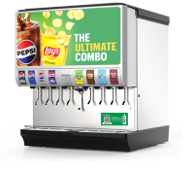
Conversion Complete
In the past year, the entire U.S. Subway system has been converted to NEW, FREE ON LOAN Pepsi coolers and fountain units.
We could not have done it without you! Thank you!
For questions or to begin all account change requests or with general questions, please email the Pepsi Subway Integration Sales Team:
Franchisees should provide Pepsi with as much advanced notice as possible to meet closing or relocation timelines, with a minimum of 30 days requested for closings and 60 days for relocations.
Email PBNA.Subway.US@pepsico.com with restaurant details to begin equipment removal (and/or reinstall) process.
PEPSI EQUIPMENT:
DO NOT remove Pepsi equipment from the restaurant!
Pepsi equipment must be transferred by PEPSI ONLY!
- Pepsi equipment is owned by Pepsi and leased to the franchisee at no cost as part of the beverage partnership and must be transferred by Pepsi.
- Do not move Pepsi equipment to another Subway restaurant
- Please empty all bottle & can product from Pepsi cooler prior to pick-up
FRANCHISEE OWNED ICE MACHINE:
- Ice machine removal is not covered as part of Pepsi equipment pick-up process.
- Ice machine must be disconnected and removed prior to arrival of the Pepsi technician for uninstall of the Pepsi fountain machine
If you have a question on restaurant eligibility to sell Pepsi bottles or pour Pepsi fountain drinks, please email PBNA.Subway.US@pepsico.com and provide restaurant details to begin inquiry.
Email PBNA.Subway.US@pepsico.com with restaurant details to begin Pepsi account transfer process.
PEPSI EQUIPMENT:
DO NOT remove Pepsi equipment from the restaurant!
Pepsi equipment must be transferred by PEPSI ONLY!
Pepsi equipment is owned by Pepsi and leased to the franchisee at no cost as part of the beverage partnership.
Please provide at least 90 days lead-time to allow new account set-up and equipment coordination.
Email PBNA.Subway.US@pepsico.com with restaurant details to begin new account set-up.
Click here to view our RESTAURANT READINESS GUIDE for everything you will need to prepare for a new installation.